Real text-in-image examples
These are first-run MOSS-Image SFT outputs from October 26, 2026. They were generated at 1024×1024 with 50 steps, CFG 3, prompt expansion disabled, and no cropping or retouching.
Put exact wording in quotation marks
Describe the scene first, then quote every line that needs to appear. Keep the hierarchy explicit: name the heading, subtitle, item rows, prices, and footer separately. Shorter text blocks are easier to inspect and revise than a dense paragraph.
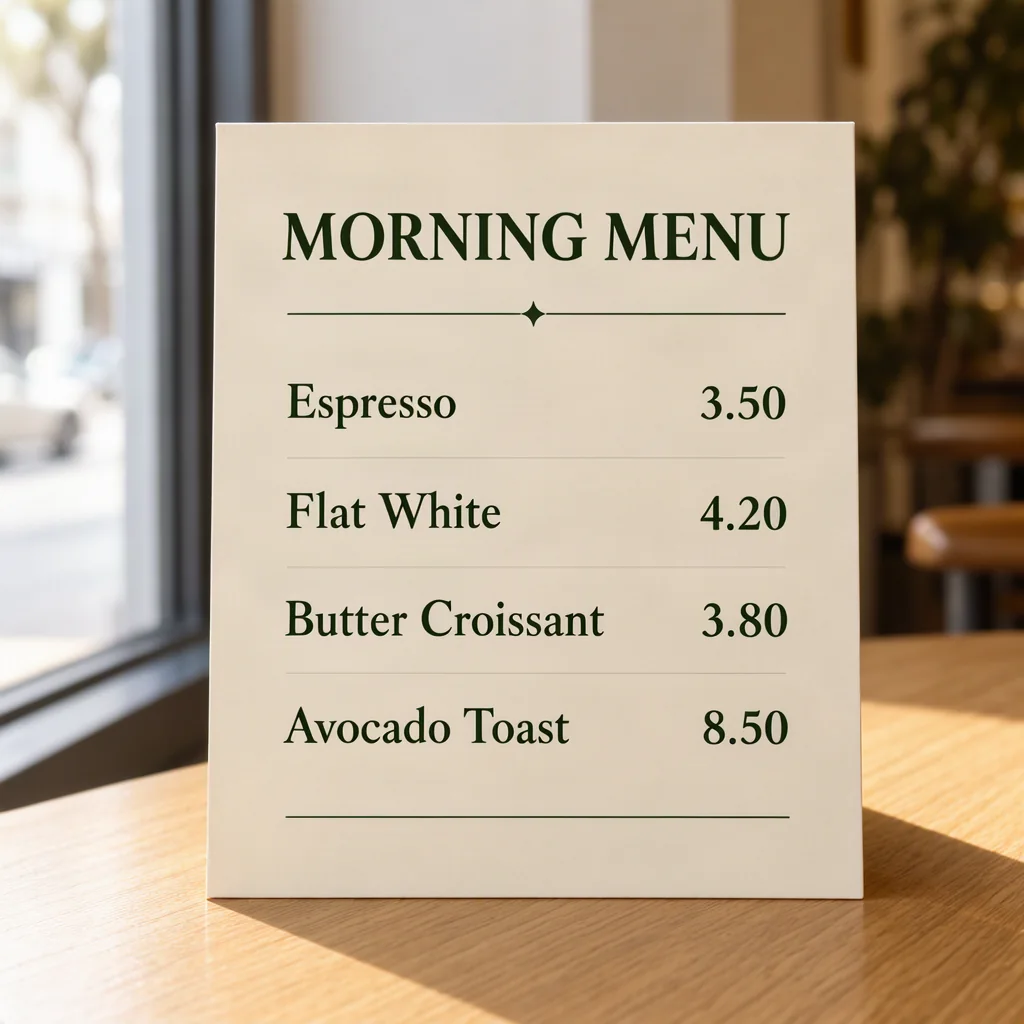
A café menu card standing on a light oak table, soft window light from the left. Cream card stock with dark green serif headings. Heading reads exactly: "MORNING MENU". Below it four lines read exactly: "Espresso 3.50", "Flat White 4.20", "Butter Croissant 3.80", "Avocado Toast 8.50". Prices are right-aligned in one column. All text spelled correctly and fully readable.Guide where text and objects should appear
Natural language is enough for many menu, label, and poster concepts. When placement matters more, switch to JSON Layout and describe each text or object region with the documented items, bbox, yxyx, and abs_centralized format. Layout guidance is experimental and may require iteration.
Proofread every generated word
Readable does not mean guaranteed. Check spelling, prices, measurements, dates, addresses, Chinese characters, and punctuation at full size. Regenerate or revise the prompt when any material detail changes. For production menus and packaging, rebuild approved wording in a design tool before printing when exact typography is required.
Our controlled MOSS-Image vs FLUX comparison keeps the failed text visible so you can see why this review step matters.
Create your own text-led image
Open the tested café prompt in the studio, replace its words with your own, and generate a square concept. Three starter images are available after email verification.
Open the café prompt